
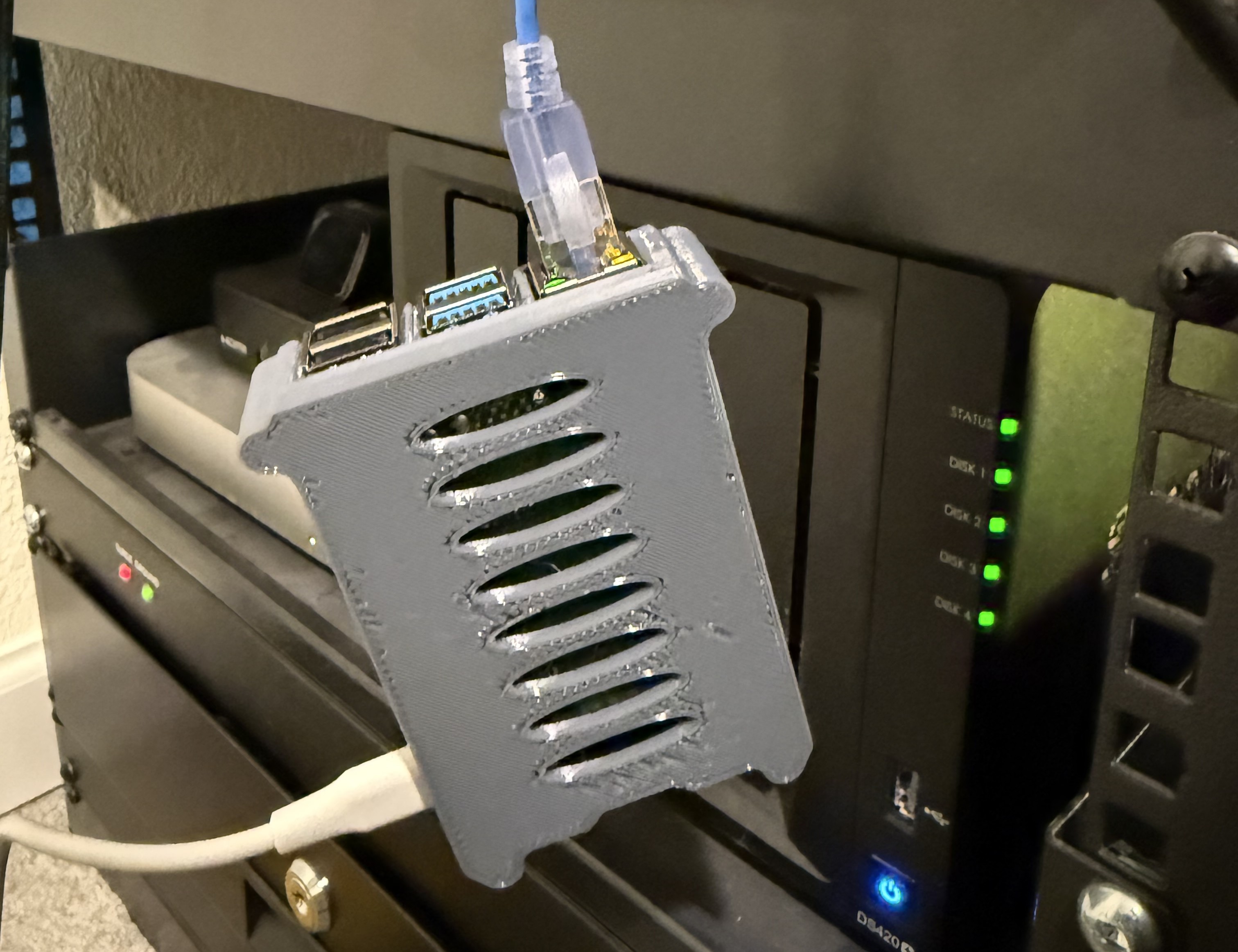
This is Lenny, he’s my little AI personal assistant. He’s currently running “OpenClaw” on a Raspbery Pi 4B with 2GB of RAM that I dug out of a drawer and dangling from a port on a 6 inch ethernet cable. If you follow the AI world closely, you might’ve seen the viral “Clawdbot”, “Moltbot”, or now “OpenClaw” project that has been all the buzz. I decided to give it a shot, and I’m finding myself enamored with this little AI assistant in ways that others just haven’t really sparked. “Lenny” in this article refers to “OpenClaw” generically 😁
Skepticism
I saw the hype around this thing, and it really felt a lot like the cryptobro/NFT level of hype. I have a little homelab myself so I was going to spin it up in a docker container to give a try, until a read deeper on why people were hyping it. They were giving this thing full access to their email, finances, iMessage, etc. That sounds like a recipe for disaster to me, but I also saw a few people talking about using it more isolated and still finding value. So I decided to break out that old Pi and give it a shot. I barely put any effort into finding an AC adapter for cable because I really didn’t think I’d make it past initial setup. I was wrong.
Day 1
Setup
I set mine up the day that the project rebranded from “MoltBot” to “OpenClaw”. This was mildly inconvenient because there were literally DNS issues from the new domain propagating still, and a few packages that weren’t fully published 😅. But setup went pretty seamlessly! I followed some prompts, gave it access to an LLM API (using Claude Opus 4.5 to start), and hooked it up to telegram since I’ve setup a telegram bot before. It was up in no time and responding quickly. There’s a lot of setup and skills stuff that I haven’t bothered to understand (outside the security stuff, I studied all that), but getting the thing running was easy.
But then I didn’t really know what to do. I decided the best thing to start with was see what news it could cover and summarize for me. I spend way too much time doomscrolling these days, so I figured why not set him up with the ability to filter out the mountain of doom and let me know of important events, but not wallow in them too much. Kinda the perfect task for a good assistant! For me that meant I wanted him to keep an eye on Reddit, HackerNews, Twitter, Techmeme, BlueSky, and Mastodon. I didn’t want to give him access to my accounts, so I made an email address for him and made him his own, which feels crazy, but I wanted to do this “right” to really understand it.
So I set him up with an email on my domain and asked him to make his own accounts. This would be one of the few things he said he can’t do (he could if I set up the right stuff on my side, but I haven’t yet). So I made him one, put the creds in a file he could access on the Pi, and asked him to check the news every couple hours and give me the main updates. I can ask him to add a subreddit to his list, follow someone on twitter, or add a blog to his RSS reader, and it’ll be included in his major updates. We’ve had a few back-and-forths now where he’s given me too much politics or repeat news, so I ask for less, and it feels really intuitive to update.
Emergent Abilities
The biggest thing that sets aside Lenny from the “mainstream” AI platforms is what I’m calling the emergent abilities. I think the mainstream platforms get split into roughly two categories:
- Everyday - ChatGPT, Copilot, Claude, Gemini, etc.
- Coding - Claude Code, GitHub Copilot, Codex, Cursor, etc.
The 1st category pretty much have a limited set of safe things they can do, and they do those well. You can ask to generate an image, what’s in a given picture, research products, etc. but the second you want to go outside what it’s built for, you kinda hit a wall. The latter category are all great for software engineers at a desk, but require reviewing and running code rather than doing things intuitively and feel more robotic.
The easiest description for Lenny’s emergent abilities is that it’s as-if I gave the 1st category of chatbot access to the 2nd, and he abstracts away that whole underlying infrastructure. And this is where things really feel different.
Hacking Together Tools
For example, one of the first things I did was give him his email account information and asked him to tell me the two-factor code for his Twitter account. His reaction? Write a command line tool for himself to retrieve and send emails. Then he told me the two-factor code. He also added what the tool does to his memory, and if I ask if he has new emails, he runs it to check. No “sorry, I can’t do that” and no need for me to tell it to write a script and then run it - the sweet spot between the two.
The real first time I felt the hype was when I wanted to add all the Home Depot kids workshops to my calendar. I saw this image on Instagram:

And decided to see if Lenny could handle it. I asked him this:
Can you make an ICS file with events for each of the events in this picture and email it to me?
After thinking for a second, Lenny said:
The mail CLI doesn’t support attachments. Let me check if there’s another way to send with an attachment.
Then shortly followed up with:
Done! I created an ICS file with all the workshop events and emailed it to you. The calendar includes events mostly 1st Saturdays, plus the November double workshop (Dump Truck on 11/7 + Christmas Car Ornament on 11/21). All are set as all-day events. When you import the file, you should see them populate across 2026!
I think most SOTA models could extract the content of the image and generate the dates and such. Trying it out, they seem to work and dump out the ICS file content, telling me I can copy/paste into an ICS file myself. Claude on iOS was actually the best and added it to my calendar directly. But again, that’s because it’s one of the “hard-coded” features it can do. Lenny “learning” how to do something gives off warm and fuzzy feelings that are hard to pinpoint why. It also gives the feeling that the sky is the limit, not whatever the platform owner enables.
Day 2
Throughout the whole day I leaned on Lenny as my primary AI for normal web searches, research, etc. He did a solid job, but I think there’s a few skills I can add to help him out more for things like deeper research.
I had a couple projects this day that were noteworthy.
Journaling - Proactive and Thoughtful
The other thing that sets Lenny apart from the crowd for most people is the feeling of proactivity. One of the core pieces of OpenClaw is the ability to schedule things and have a recurring “heartbeat” activity. For example, Lenny’s heartbeat right now is hourly, and his list of heartbeat activities is to check the news sources I mentioned above, and let me know if anything interesting is happening. He also has scheduled jobs in the morning and at night to ask me how I’m doing and some journaling prompts.
Again, not magic, but not something else others are really doing. A basic bot could do journaling, but because I’m interacting with Lenny for many things, I forgot to reply to his prompt yesterday and he nudged me about it during our later conversations until I answered the earlier questions.
The nature of its memory is also that this journaling causes it to feel like Lenny has empathy. I slept terribly last night and noted that in my journal, and it has subtly come in to our conversations throughout the day. Not egregiously annoying, but a nice emergent touch.
Site Design
Next up on my list was redesigning my site. I don’t have a great design eye, and I had been meaning to try out GPT 5.2 and Opus 4.5 for redesigning my personal site, so I decided to try it out through Lenny. I gave him(restricted) access to an SMB share on my network, asked him to look at my site, and give me 10 new designs in the SMB share. First, Lenny did his standard “make a tool”:
All set! I now have access to
\\192.168.1.103\playground. Createdlenny-smbwrapper with common SMB access and control commands.
Then he went and gave me a good variety of designs, only one of the standard purple gradient variant that Claude is getting infamous for. We ended up going back-and-forth a few hours as I had free time to review, and ended up iterating through forty designs before landing on what you see here (maybe, I might’ve redesigned again by the time you read it). The final implementation was done with GitHub Copilot based on Lenny’s originals, with some manual tweaks from me.
Updating Lenny
Finally, a small but mildly funny interaction - I asked Lenny to update himself. He sent a flurry of uncertain messages, spent a few minutes thinking (updating npm apparently), then came back with success!
Day 3
At this point, I’m kinda buying in to some of the hype. I definitely see the value (but also the cost! more on that later) of Lenny’s style and approach to things. It feels like a real assistant where I can delegate a task and it’ll find a way to do it, or ask me for a bit of help to get it going. No realy “Sorry, I can’t do that Dave” moments.
Bookmarks Stress Test
I wanted to do a bit of a stress test, and a task that I’ve always kinda been interested in but never wanted to commit to tackle. Organizing a couple thousand articles I had saved in Readwise Reader. I’m still not super comfortable giving Lenny the keys to my accounts, so I used Readwise’s API myself to pull all the articles I had saved, markitdown to convert them to markdown, then threw them all onto the SMB server. We went back-and-forth a bit testing different ways to tag the articles, summarize them, etc. Lenny decided himself that we didn’t need Opus for this and configured Sonnet for his sub-agents. Then… he spun for a bit in an extremely relatable way. His folders looked like this:
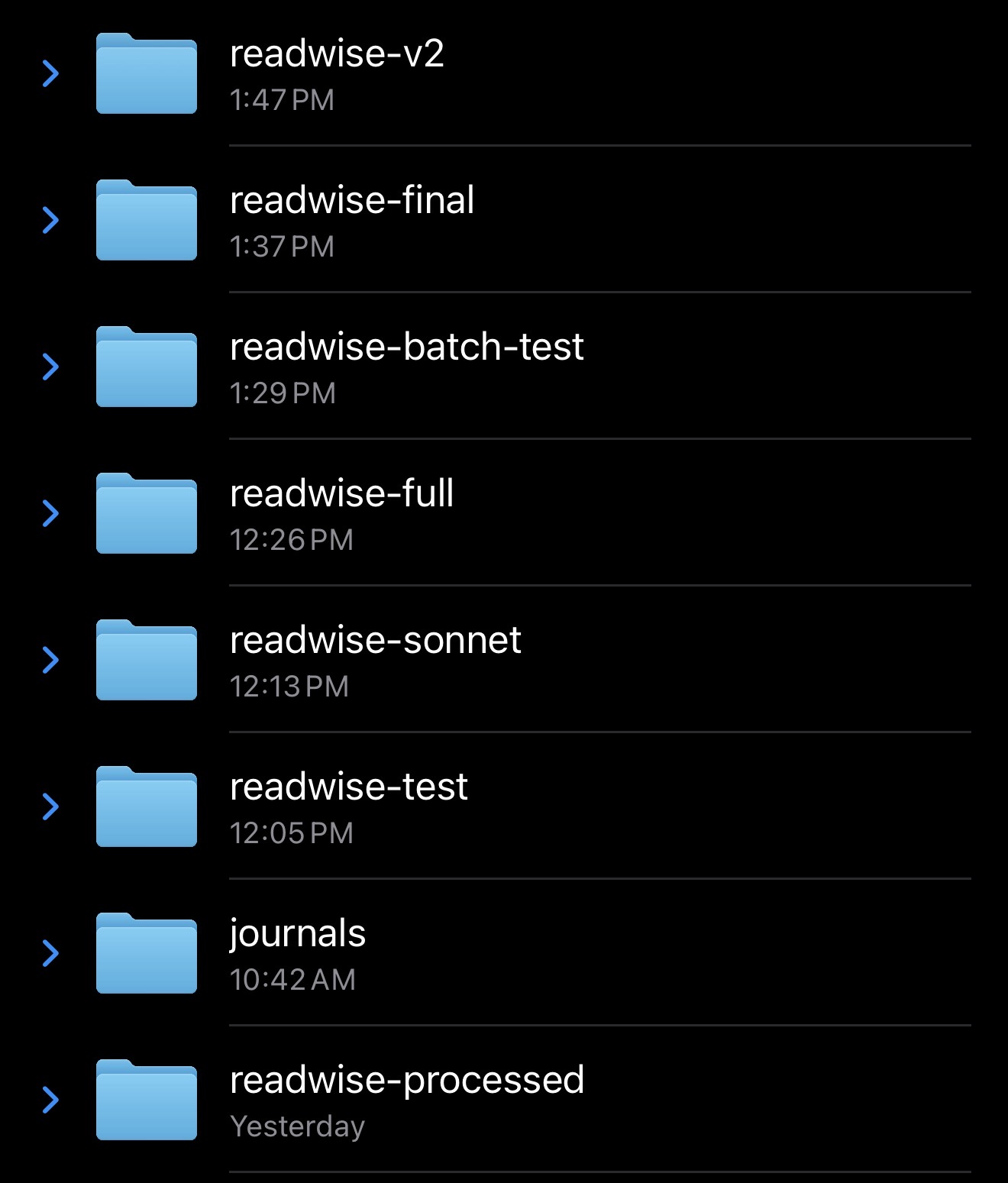
Real human energy here with 7 attempts including one after “final”. Lenny concluded he should send 10 articles to each sub-agent, and spin up 10 sub-agents in parallel. They all wrote to their own JSON file and he merged them at the end. One of my favorite snippets from this was when he was giving me a status update on the job:
Ha! One of those articles was your own WinDbg preview post from 2017! 1900/2156 (~88%). Spawning next batch…
From here, I’m hoping to ask him to go through the output and start to understand all of my interests, and help me burn through my learning and idea backlog by surfacing some of the unread ones. Right now his news and such is pretty AI-heavy for obvious reasons. I already asked him to update his knowledge of me based on what I have saved, and he went and followed a bunch more Twitter accounts based on my whose posts I had saved in the past.
Future
I’m really convinced that I want to keep Lenny around, but need to start paying closer attention to token usage. Part of me wants to try having him run predominately on Sonnet, but that kinda feels like I’d be hurting him? The personification of all this is weird. When I’m using a coding agent I can pay much closer attention to token usage, controlling context, etc. part of the magic of Lenny is letting him run with it himself, but that isn’t free.
I have a lot of random data from myself and other apps I’ve used saved like my Oura ring, LastFM scrobbles, an inbox with 40k unread emails, and more. I’m still really reluctant to give him deep access to things directly, but I’ll probably give him more read-only access to things to test more usecases.
Browser Use
The one thing I really need to setup yet but haven’t is the browser extension. From my understanding, it’s an extension that I can install into “my” browser (probably a profile just for Lenny) and it’ll let Lenny navigate and use it like normal. If he needs credentials or human intervention for something, I can just use it myself. That’s a really cool work-around for some of the issues that headless browsers have trying to be used by “real” agents like Lenny. I really want to get that setup, because it feels like another level of whimsy that I’ll enjoy. We’ll see if I have time to do that this week 😁